
Webex
Cisco Systems, Inc.Business
4.11.40K Reviews
- Version
- Varies With Device
- Installs
- 10.00M
- Age Rating
- Everyone
Screenshots



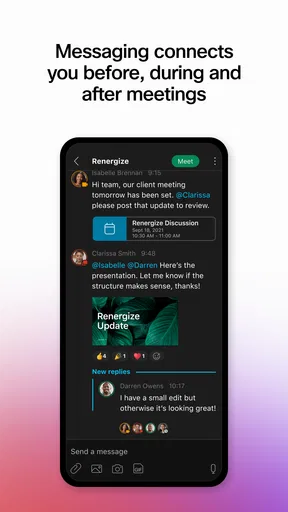

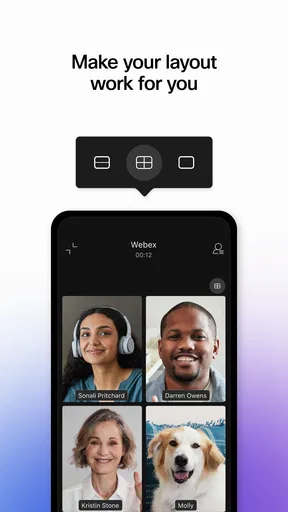
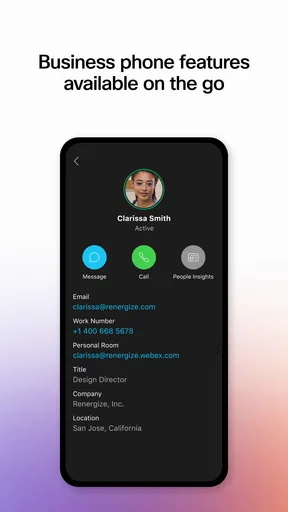
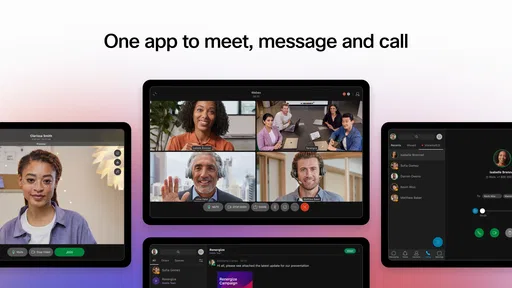
Our Review of Webex
 Analysis by Appyee
When a household needs to coordinate with a school group, a volunteer team, a remote workplace, or relatives in different places, I find that a business-focused communication app can be more useful than a collection of separate chat tools. Webex, developed by Cisco Systems, Inc., is built around that kind of organized collaboration. I have used it as a meeting and teamwork space rather than treating it like a casual family messenger, and that distinction matters from the beginning.
The app is free to download and is rated for Everyone, which makes it approachable on a shared tablet or a personal phone. That does not mean every household member will enjoy using it in the same way. Its strengths are structured conversations, online meetings, and work-style coordination. If you want a simple place to send quick messages to relatives, a lighter messaging app may feel faster. If you need a dependable space where people can meet, exchange information, and keep a group focused, Webex makes a much stronger case.
How Webex fits into a shared household routine
A realistic example is a household in which one person works remotely, another attends online classes, and a parent coordinates a community activity. The same device may be used at different times, but the needs are not identical. One person may need a scheduled meeting, another may need to join a team conversation, and someone else may only need to check an invitation. Webex can support those kinds of activities, provided everyone treats accounts and conversations carefully.
I would not describe it as a family organizer. It does not replace a shared calendar, a shopping list, or a dedicated household chat. Its value appears when the household is participating in an organized group outside the home. A work meeting, a school committee, a neighborhood association, or a remote appointment can have a clearer structure here than in a general-purpose chat thread.
That structure is also the main reason I would recommend it to some people and not others. Webex feels more deliberate than a casual messenger. You usually approach it with a purpose: join a meeting, respond to a team discussion, or review something connected with a group. For families who want one app for every informal conversation, it may feel too businesslike. For households that regularly move between work, education, and community commitments, that seriousness can reduce confusion.
The app has been available since September 12, 2014, and its long presence is noticeable in the way it approaches collaboration. It is not designed around novelty or entertainment. I see it as a practical tool that expects users to understand who they are communicating with and why. That makes the first setup more important than it might be with a basic chat application.
Separate people before sharing one device
On a shared phone or tablet, I would begin by deciding whose account is being used before opening a meeting or sending a message. A household device can easily blur personal and professional activity, especially when notifications appear while another person is using it. The safest routine is simple: sign out when appropriate, check the active account, and avoid assuming that a conversation belongs to the person who last held the device.
This is not a criticism unique to Webex; it is a practical consequence of using any collaboration service on shared hardware. Still, the consequences can be more awkward here because a work or school conversation may contain names, schedules, documents, or meeting details that are not meant for everyone in the home. Account boundaries matter more than convenience when several people share one screen.
I also recommend giving each person a clear time and place for meetings. A child joining a class, an adult attending a work call, and another family member trying to speak with a volunteer group can all compete for the same room and network connection. Webex can bring the communication into one app, but it cannot solve the household’s physical scheduling problem. A small written routine—who uses the device, where they sit, and when the session ends—often prevents more trouble than changing app settings.
For a personal device, setup is more straightforward. I would still review notifications before using the app in a shared environment. A message preview appearing on a lock screen can reveal more than intended, even if the device itself is protected. This is especially relevant when the phone belongs to a parent but is occasionally handed to a younger household member.
What coordination feels like in practice
Webex is at its best when a group needs more than a stream of disconnected messages. I like the idea of keeping a meeting or team activity in its own context, because it gives people a reason to open the app and a clearer sense of what requires attention. That is more manageable than searching through a long family chat for the one message about a school meeting or a work change.
For a household, the useful workflow is to keep outside groups separate. A parent can use one space for a community project, a partner can participate in a work-related conversation, and a student can join an educational meeting without turning all those activities into one shared thread. The app becomes a doorway into several organized groups rather than one giant household inbox.
One practical tip is to prepare the meeting context before the rest of the household needs the device. I would check the account, confirm the correct group or invitation, test the audio environment, and close unrelated apps or conversations. Doing that early is particularly helpful for people who are less comfortable with technology. It also avoids the common mistake of handing someone a device with several open screens and expecting them to know which one is safe to use.
Another useful trade-off is that organization can add a little friction. A casual messenger often wins when the only goal is “Are you home yet?” Webex makes more sense when the message belongs to a planned activity or a defined team. If your household’s communication is mostly spontaneous, you may find yourself opening a heavier tool for very small tasks.
I would also avoid using it as the only emergency contact method. A collaboration app depends on people being in the right account and checking the right place. For urgent household matters, ordinary phone calls or the messaging method everyone already watches are more dependable. Webex is better for planned coordination than for assuming that every family member will notice a time-sensitive message immediately.
Age, trust, and the limits of a family-friendly rating
The Everyone content rating is reassuring in a basic sense, but I would not mistake it for a complete household safety plan. The rating describes the app’s general suitability; it does not decide which work, school, or community conversations are appropriate for a particular child. Adults still need to choose the groups carefully and explain who is participating.
This is where trust and supervision become more important than the label. A younger user may understand how to join a meeting but not recognize when a conversation contains private workplace information. Another user may accept an invitation without checking its source. I would teach household members to verify the organizer, avoid sharing someone else’s information casually, and ask an adult when a meeting or message seems unexpected.
Webex can be suitable for an older child participating in a supervised school or community activity, but I would not hand over a shared account and assume that the age rating handles everything. The right arrangement depends on the group, the device, and the child’s judgment. In my view, the app works best when each person has a clearly understood role rather than when the entire household treats it as a public family room.
Trust also includes respecting other people’s meetings. A family member should not interrupt a work session because the device is nearby, and someone should not browse an open conversation simply because another person forgot to close it. These are ordinary boundaries, but business collaboration tools make them especially visible. A household that already has good habits around privacy will get more from Webex than one that shares passwords and devices without much thought.
Performance expectations and the cost question
Webex is free to use at the entry level, which lowers the barrier for trying it with a group. At the same time, the app includes in-app purchases ranging from $14.49 to $143.99 per item. That range is important for households because a free download does not necessarily mean every advanced option or organizational need will remain free. I would start with the basic experience and only consider a paid option after identifying a specific requirement.
For an individual or small household, paying for a feature without first understanding who needs it can create unnecessary expense. A workplace, school, or organization may already manage access separately, so I would check the group’s instructions before purchasing anything. The person coordinating the meeting may have a plan that covers the relevant activity, while a participant may need no purchase at all.
The app requires at least iOS 11, so owners of older Apple devices should check compatibility before planning to use it on a spare phone or tablet. That is a practical issue for shared-device households, where the oldest device is often the one people hope to reuse. If the hardware cannot run the app properly, the household may need to use a newer device or join through another supported route offered by the organizer.
On the performance side, I would judge Webex less like a social app and more like a meeting tool. A stable connection, a quiet room, and a usable microphone matter as much as the software. If a family member has to join from a noisy kitchen with several people speaking nearby, the experience may be frustrating regardless of the app. Headphones can help, but the bigger improvement usually comes from choosing a consistent meeting spot and limiting interruptions.
Where it stands beside familiar alternatives
Compared with a standard messaging app, Webex offers a more formal setting for group communication. That is useful when conversations need to stay connected to a meeting or an organized team. A normal messenger is usually better for quick household updates, informal photos, and conversations where everyone already knows the context.
Compared with a general video-calling app, Webex feels more oriented toward collaboration than a one-off call. I would choose it when the meeting belongs to a continuing group or when participants need a clearer work-style environment. A simpler calling app may be preferable for a grandparent who only wants to speak with relatives and does not want to learn a broader collaboration workflow.
Compared with a workplace chat platform, the choice depends heavily on what the organization already uses. If a company has standardized on another service, Webex may create a second communication channel that people forget to check. In that situation, the familiar platform is often the better choice, even if Webex itself is capable. For independent groups, mixed teams, or households participating in several different organizations, its broader collaboration identity can be useful.
My main comparison point is not a list of features but the amount of structure each app demands. Webex asks users to pay attention to accounts, groups, invitations, and meeting context. That effort is worthwhile when the communication is important and recurring. It is unnecessary overhead for a family that only needs to ask who is buying dinner.
Who will appreciate it, and who should pass
I would recommend Webex to remote workers, students joining organized sessions, volunteers, small teams, and households that regularly coordinate with groups outside the home. It is also a sensible choice when different people need separate collaboration contexts on the same device, as long as the household takes account privacy seriously.
I would be more cautious about recommending it to someone who wants a completely casual, family-first messenger. The business orientation can make ordinary conversation feel less natural. It may also be a poor fit for a household with an older shared device that cannot meet the iOS requirement, or for people who are unlikely to remember which account is active.
New users should not judge the app solely by how quickly they can open it. The better test is whether it makes a real recurring activity easier: a weekly committee meeting, a remote work schedule, an online class, or a project involving people who live apart. If the answer is yes, the setup effort has a clear payoff. If the answer is no, a simpler tool will probably be more comfortable.
The app’s public reception suggests that many people find value in it: it has a 4.2 average from around 32 thousand ratings, with more than 10 million installs. Those figures do not tell me whether it will suit a particular household, but they do show that it is not an obscure experiment. I would still focus on the group’s existing habits rather than choosing it because it is widely used.
My household verdict
After looking at Webex through a shared-device and family-coordination lens, I see it as a capable bridge between home life and organized outside commitments. It is not a replacement for a family calendar, a private household messenger, or direct emergency contact. Its best role is narrower and more useful: giving a household member a dependable way to participate in a meeting or team without mixing every conversation together.
I especially value the separation between casual family talk and structured collaboration. That separation can protect attention and reduce the chance that an important meeting detail disappears in an unrelated chat. The trade-off is that every user must understand accounts, invitations, notifications, and privacy. A household that treats the app casually may create confusion; one that establishes clear boundaries can make it work smoothly.
My advice is to try it first with one clearly defined group and one person responsible for the setup. Decide which device will be used, confirm that it meets the operating-system requirement, and agree on who may access the account. Then test the routine during a non-critical meeting rather than waiting for an important call. That small trial will reveal whether the app’s structure helps your household or simply adds another place to check.
For me, Webex earns a recommendation when the household needs organized meetings and team communication, especially across work, school, and community activities. I would skip it for purely informal family chat or for a shared-device setup with weak privacy habits. The right reason to install Webex is not that everyone needs another messenger; it is that someone in the household needs a clearer, more disciplined way to collaborate.
Privacy and Permissions
See what permissions an app requests and how it handles your data.
- Identity
- find accounts on the device, add or remove accounts
- Calendar
- read calendar events plus confidential information
- Contacts
- find accounts on the device, read your contacts, modify your contacts
- Location
- approximate location (network-based), precise location (GPS and network-based)
- Phone
- directly call phone numbers, read phone status and identity
- Camera
- take pictures and videos
- Microphone
- record audio
- Wi-Fi connection information
- view Wi-Fi connections
- Device ID & call information
- read phone status and identity
- Other
- view network connections, create accounts and set passwords, pair with Bluetooth devices, change network connectivity, connect and disconnect from Wi-Fi, full network access, change your audio settings, control Near Field Communication, run at startup, draw over other apps, use accounts on the device, control vibration, prevent device from sleeping
Verdict
Strengths of Webex
- Reliable HD video and audio quality on stable connections.
- Supports screen sharing, whiteboards, and collaborative meeting tools.
- Strong enterprise security and administrative controls.
- Works across Android, iOS, desktop, and web platforms.
- Meeting recordings and transcripts are useful for later reference.
Limitations of Webex
- Some advanced features require a paid Webex subscription.
- The interface may feel overwhelming for first-time users.
- Large meetings can consume significant battery and mobile data.
- Occasional audio delays occur on weaker networks.
- Account setup and permissions can take time for new users.
Other Releases by Cisco Systems, Inc.
View All

Similar Picks in This Category
View All
LinkedIn: Community & Network
LinkedIn3.8

Zoom Workplace
zoom.com4.1

Microsoft Teams
Microsoft Corporation4.6

Meta Business Suite
Meta Platforms, Inc.4.6

Webex Meetings
Cisco Systems, Inc.4.5

TeamViewer Remote Control
TeamViewer4.4
Frequently Asked Questions
What is Webex, and what can I use it for?
Webex is a communication and collaboration app for online meetings, video calls, voice calls, messaging, webinars, and team projects. After installing it, you can join meetings through an invitation link or meeting number, communicate with colleagues, share your screen, and collaborate on documents or presentations. It is designed for work, education, customer support, and personal group conversations.
Do I need a Webex account to join a meeting?
In many cases, you can join a Webex meeting as a guest without creating an account. You usually only need the meeting link or number and may be asked to enter your name or email address. However, an account is useful if you want to schedule meetings, manage contacts, access messaging spaces, review recordings, or use additional features associated with a personal or business subscription.
Is Webex free to download and use?
Webex can generally be downloaded at no cost on Android, iPhone, iPad, and desktop platforms, and it offers a free plan with basic meeting and collaboration tools. Some advanced options may require a paid subscription or an organization-provided license. Features such as longer meetings, larger participant limits, expanded cloud storage, detailed administration, and enhanced calling can vary by plan and region.
What permissions and internet connection does Webex require?
Webex needs an internet connection to participate in meetings, send messages, and make calls. Depending on the features you use, the app may request access to your microphone, camera, notifications, contacts, files, or calendar. You can control many of these permissions in your device settings, but denying microphone or camera access may prevent you from speaking or appearing on video during meetings.
Is Webex suitable for large meetings and professional collaboration?
Webex is well suited to professional meetings, online classes, presentations, and team collaboration, but the exact participant limit and available tools depend on the account or organization plan. It includes useful options such as screen sharing, chat, virtual backgrounds, meeting controls, recording on supported plans, and breakout sessions. Before downloading for a large event, confirm that your subscription supports the required capacity and features.
